
Build with AI. Audit in Excel.
Molnify App Builder: from a description or an Excel model to a working web app
Molnify App Builder is an AI that builds working web apps. You describe the app you want, or upload an Excel model you already use, and it builds the interface, the database and the logic. The calculations stay as spreadsheet formulas, so you can open the file and read them.
14 days free · 200 free credits · No credit card

- 17,653 apps built
- 15,796 registered users
- Ten years in production
- Apps from 2017 still running
- Three of four AI models run inside the EU
Figures as of August 2026.
Build with AI.
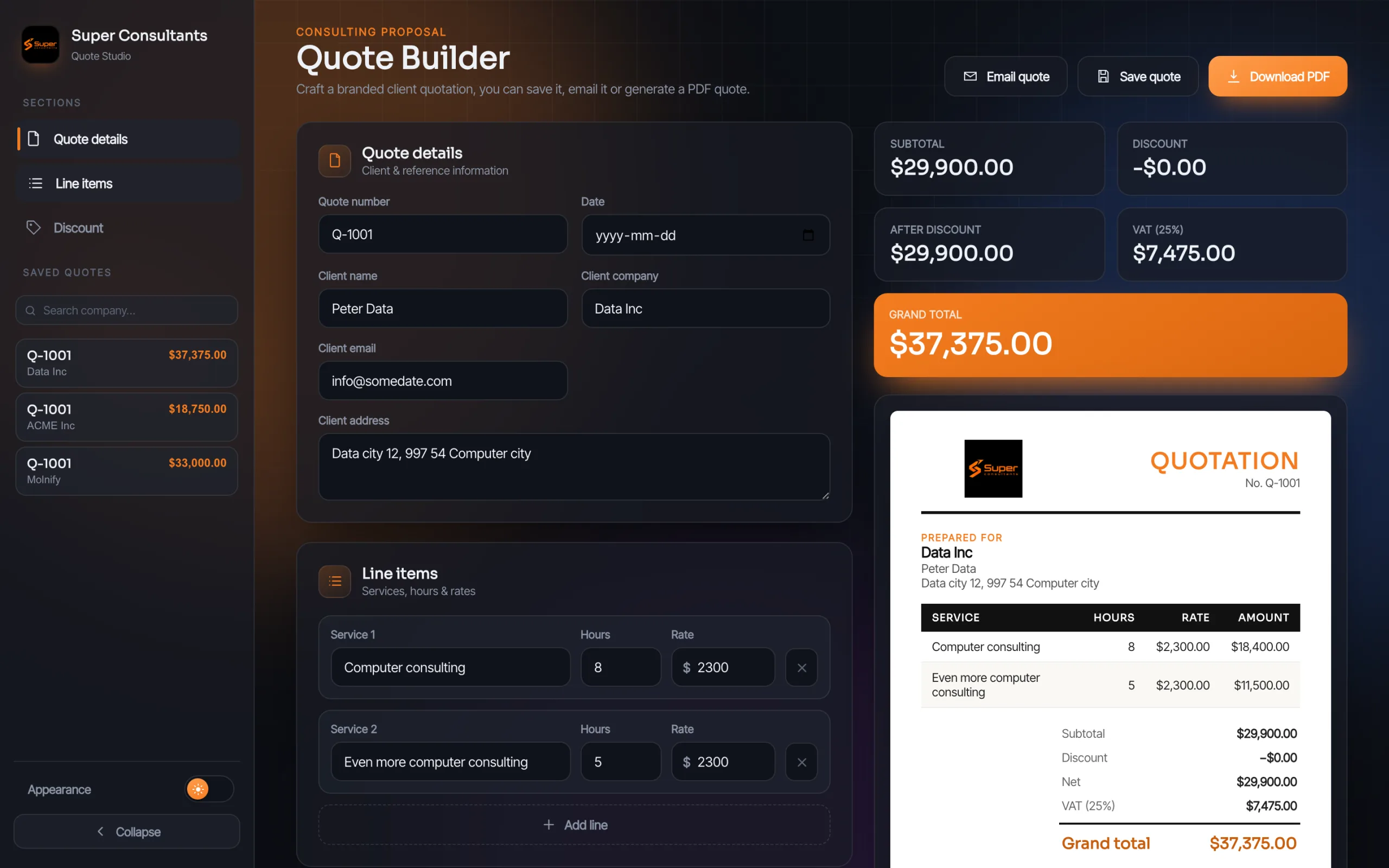
Audit in Excel.
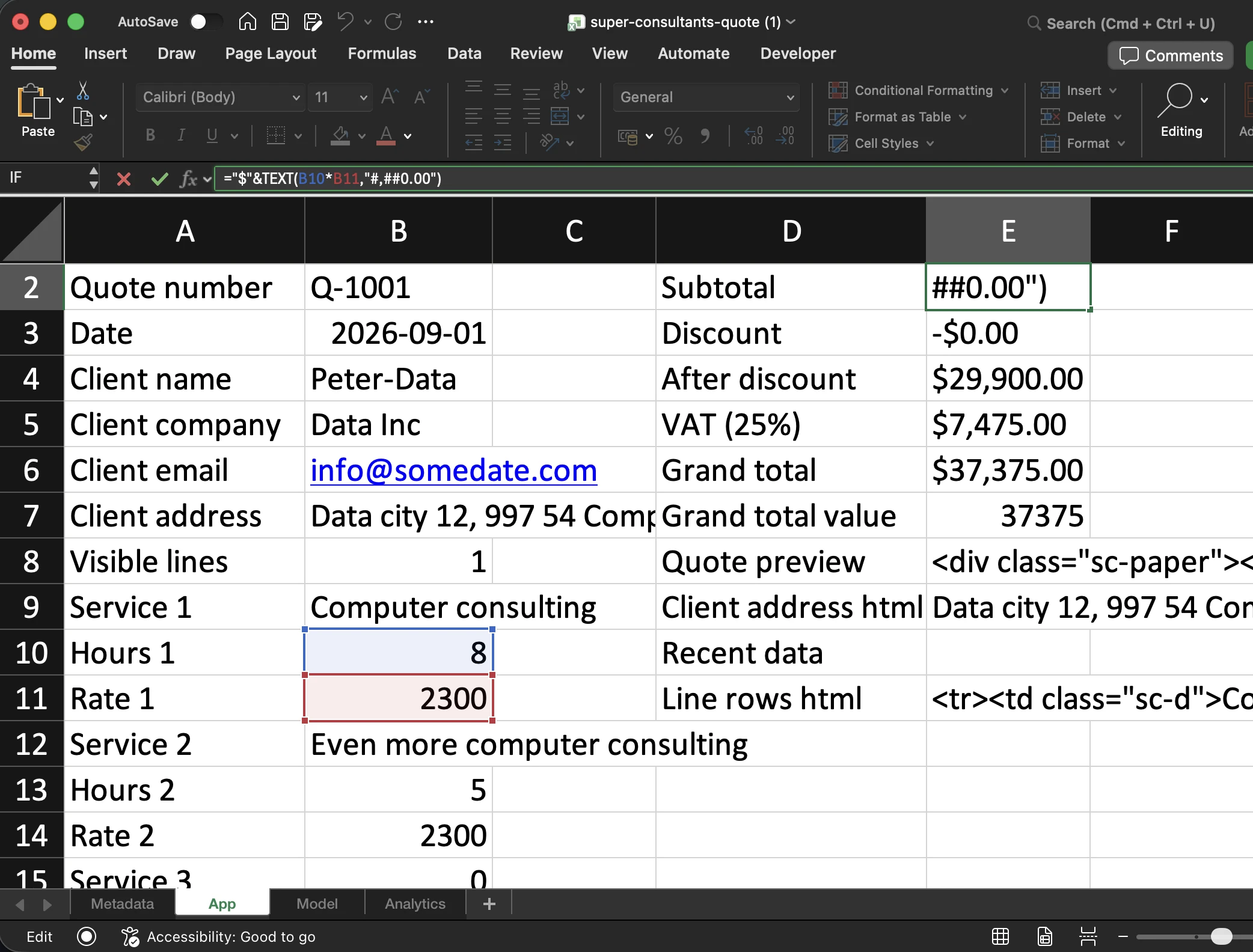
="$"&TEXT(B10*B11,"#,##0.00"): hours times rate, formatted as dollars. Ordinary Excel.Trusted by teams at








“The App Builder has worked really well! It was easy to sit with a preview and actually see that it works, not to mention having someone who helps and checks that what you are building will actually work. Very pleased.”
Chat with the App Builder
Write text, get an app you can audit and validate
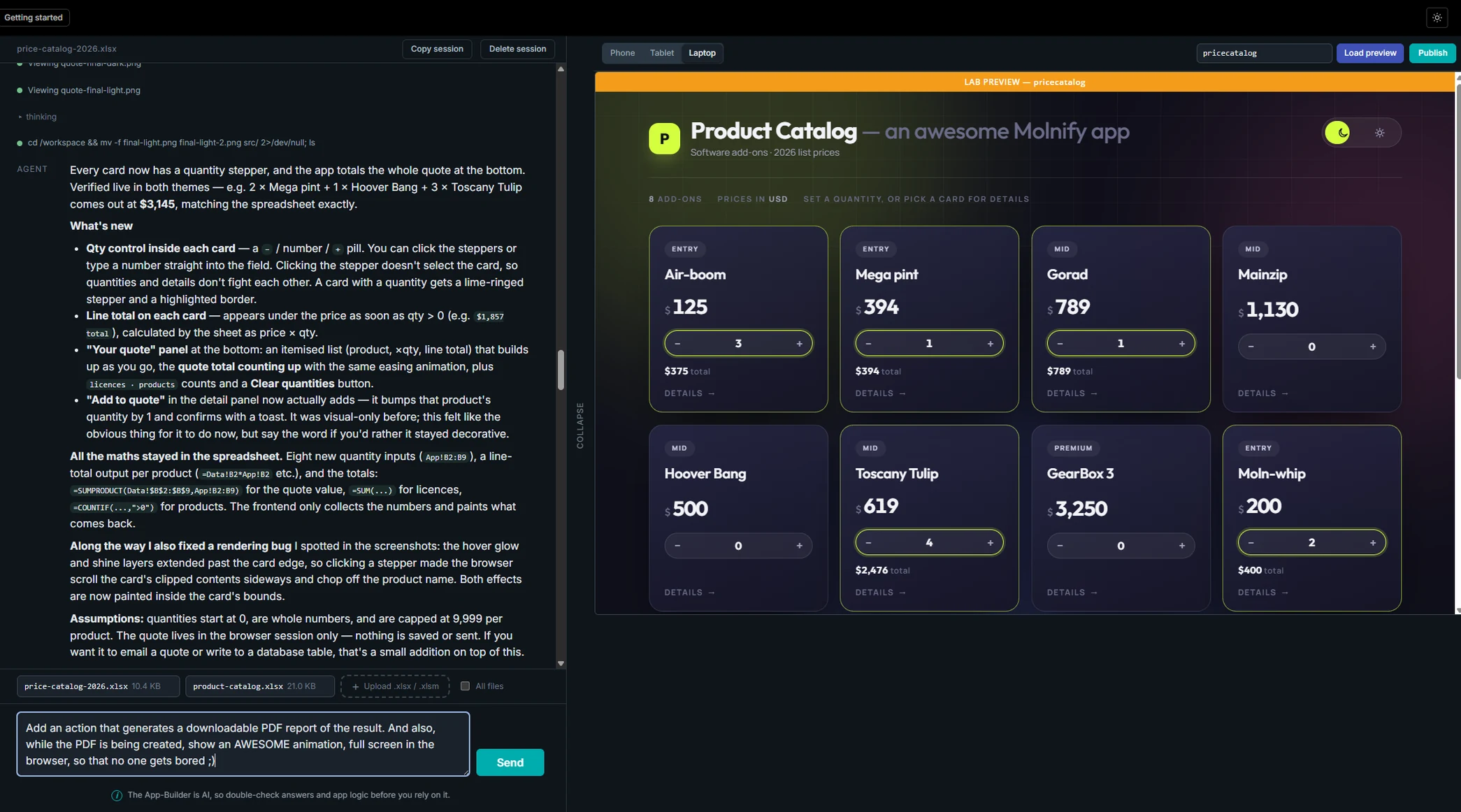
Pick your preferred AI engine: Claude, Gemini, GLM or Kimi. Then describe your app to the Molnify App Builder by simply writing to it. It might ask a few follow-up questions, then it goes off and builds. Once the app is ready it shows you the result on the right, tests it, and puts on the finishing touches. You can keep iterating, ask for more functionality, or take the app live with Publish to production. And you can always download the Excel file that holds your entire app: the App Builder keeps every equation and formula as ordinary Excel formulas, so you can audit the app in Excel without understanding code. Basic Excel skills are enough. We call it vibe coding without the black box.


Upload your own Excel file
Upload the Excel model you already have
You can also upload your own spreadsheet, and the Molnify App Builder turns it into a web app. Type something as simple as Turn this into an app
and it will, or be specific and ask for styling, extra features, a database or a connection to an external API. Unless you tell it otherwise, the App Builder keeps your file, equations and formulas exactly as they are, and adds a new sheet with cell references to your inputs and outputs. The finished application stands on a file you already know, so changing a text, a formula or a price in the pricing tab is something you can do yourself in Excel. Or ask the App Builder to change it for you. It is up to you.
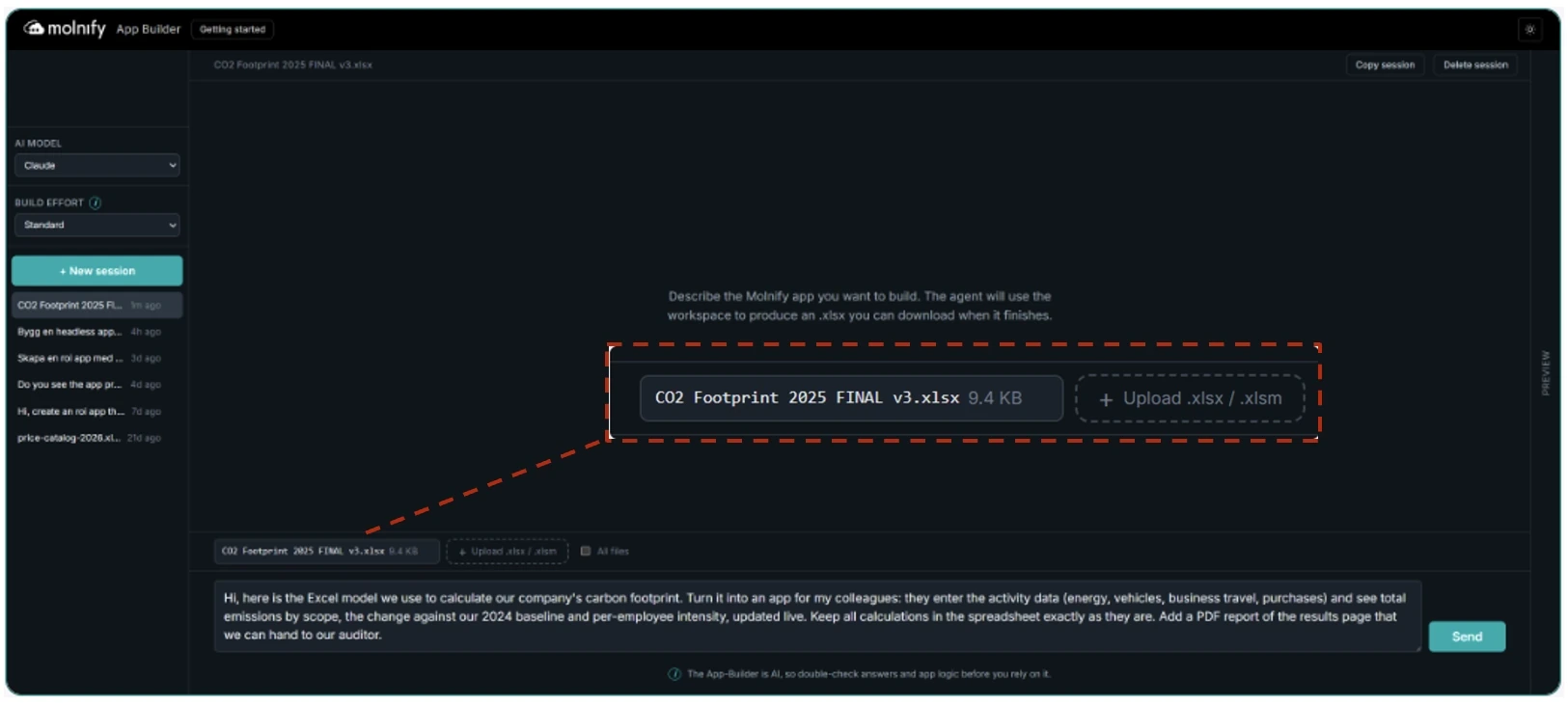
Here is what that prompt produced: a trusted Excel file for carbon emissions became a modern web app with a custom frontend and PDF reporting. What makes this different from other AI code builders? Every formula, emission factor and the baseline are identical.
The only changes were the wiring that reads the app’s inputs. Want to be sure the AI did not touch your calculations? Check the Excel file. It contains the exact formulas and equations the finished app runs on.
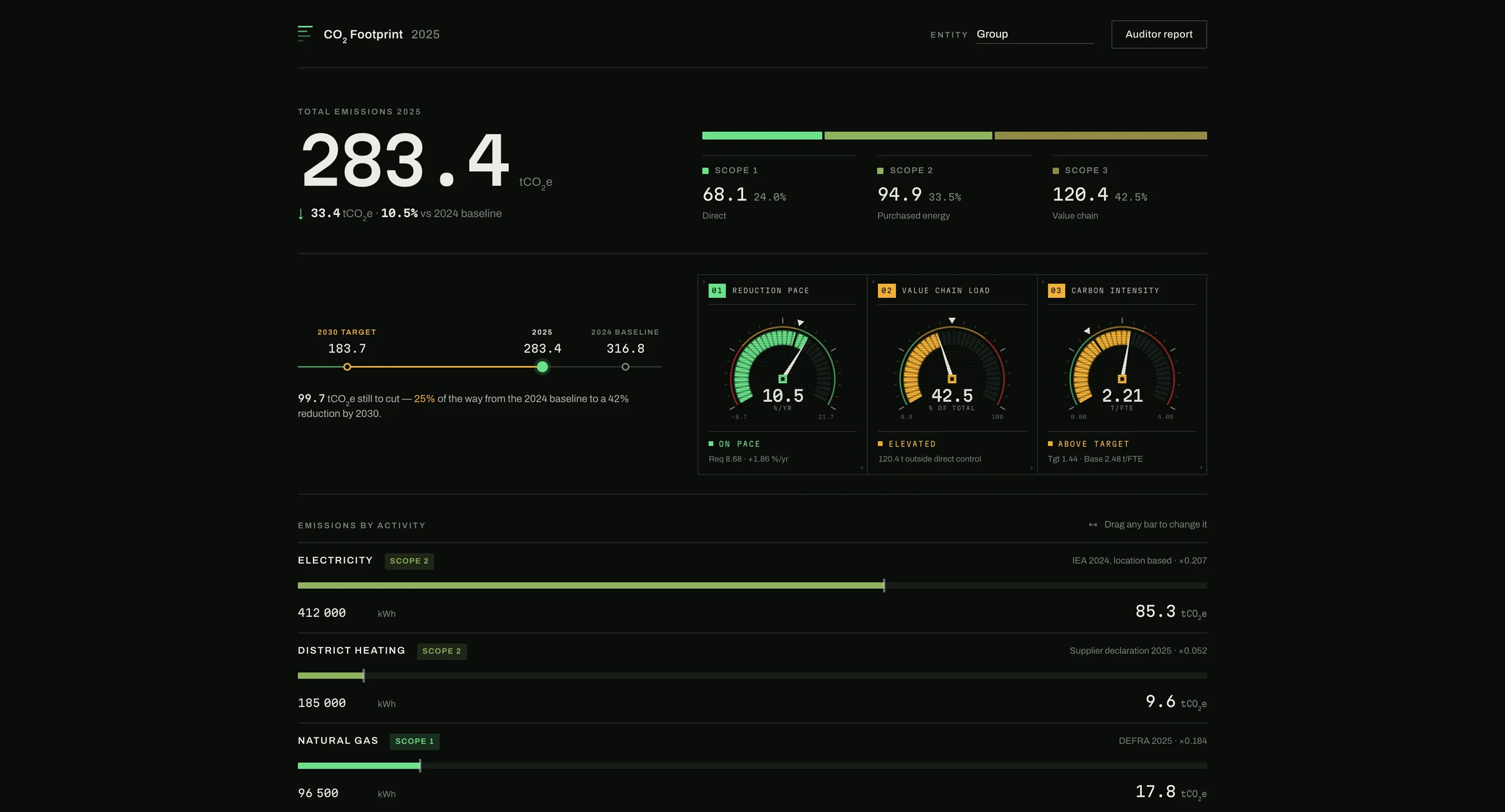 Open the live app in a new tab →
The build shipped as a headless app with a custom frontend: ask for that in your prompt and the App Builder replaces Molnify’s standard frontend with one built to your description, so the app looks and works exactly the way you want. If you would rather not bother with design instructions, that is fine too. It simply ships on Molnify’s standard frontend.
Vibe coding without the black box
Why does that hold? Because a Molnify app has always been an Excel file. For ten years the recipe has been the same: colour the input cells green, the outputs red or blue, put JavaScript, CSS and SQL in purple metadata cells, and upload. The file becomes the app deterministically. No AI interprets or guesses at runtime; the only AI in a finished app is an AI action you placed there yourself. The file = the app. The App Builder was taught to build the manual way: it writes that same file and uploads it like anyone else. It happens to be an Excel expert, a JavaScript expert, a designer in CSS and HTML, fluent in SQL, and it knows every Molnify feature: databases, autofills, external API actions, PDF templates, email actions. But what it produces is still a file that becomes an app. Nothing changed there. That is why there is no black box: what the AI writes, Excel can open.
Same AI, two outcomes
Eighty-five per cent of developers say AI has moved the bottleneck from writing code to reviewing and validating it. A fair problem when code is the product; a different one when the thing being checked is the price you quoted a customer. Here, you do not need to be a programmer to see that something needs fixing, and you do not need one to fix it.
| Question | Molnify App Builder | AI code builders |
|---|---|---|
| What you get out | A working app plus the Excel file | A working app plus a codebase |
| Where the logic lives | In spreadsheet formulas | In generated code |
| Can you audit it | Yes. Open the file. | Only if you can read code. |
| Can you fix it yourself | Yes. Edit the formula. | You ask the AI again. |
| Where the AI runs | Three of four models inside the EU | Typically US cloud |
| If the tool shuts down | Your file still opens in Excel | Your code needs a new home |
Both ways of building end in the same thing: an app standing on an Excel file. And the file is the difference. Most tools in this category read a spreadsheet as a data table. Here the file is the build instruction: real Excel formulas, more than 200 functions, plus the JavaScript, CSS, SQL and actions that power the app, all in the same file. Change the app by telling the App Builder, or open the file, edit, upload again. An AI that builds, a file anyone can audit, models inside the EU, one price for any crowd. Each of those exists somewhere else. The combination does not.
“I’m a marketer and an Excel user, not a developer. My Excel simulator has evolved over the years and reached a rather high level of complexity. Mathematical formulas are therefore the core of my professional activity, and it’s essential that they remain the basis of any modification. With Molnify and their powerful AI development tool App Builder, I was able to develop key pieces of code completely independently, without the need for external developers, and in a very short time. Honestly, the most amazing thing was the ease with which I interacted with the App Builder AI agent. It really feels like having a developer available 24/7 who instantly understands what you intend to do. I think App Builder is a real game changer.”
You pick the AI, and you can see which one
The default. Most proven for Molnify apps, needs the least instruction to get it right.
Google’s own European service. Cheaper, asks more questions.
Open weight on European hardware, at a lower cost than the frontier models.
Open weight on European hardware. Long context, good at filling in what you left unsaid.
Claude is the default; if EU processing is a requirement, pick Gemini, GLM or Kimi. You choose per build, with more on the way.
What can it build?
If the logic fits a spreadsheet, it fits here: ROI and business case models, insurance and risk calculators, pricing and quoting tools, engineering calculations and inspection apps for the field.
Nor does it stop at single apps. Molnify runs entire business systems: six or seven apps composed into one, on their own database tables, calling external APIs, sending email, generating PDF reports and running AI actions.
From zero to building in a minute
- Create a free account. Email, password, one click in the confirmation mail. No credit card.
- Describe your app, or upload your Excel file. The first prompt works right away, on free starting credits.
- Watch it build. Nothing goes live until you press Publish.
Run the App Builder inside your own AI assistant
The App Builder skill is free and open source: instructions that teach your own AI coding assistant the rules Molnify builds on, from the cell colours to the UI commands and the metadata.
npx skills add https://app.molnify.comIt runs on your machine, inside Claude Code, Codex, Cursor, Gemini CLI or Copilot. You pay whoever runs your assistant; the skill costs nothing, and the source sits on GitHub with a checksum you can verify.
Nothing to install, so it also works on a locked-down work laptop. It runs on Molnify Credits, you pick the model per build, and it only ever touches the app you are building.
Your agent works in your own files, which is exactly why it reaches further: headless apps, a frontend of your own design. That reach earns the care you would give any program that can change your files. Give it its own folder, and read the permission prompts.
If coding assistants are new to you, start in the browser. Nothing is lost by taking up the skill later. If you already live in one, it hands you the whole surface.
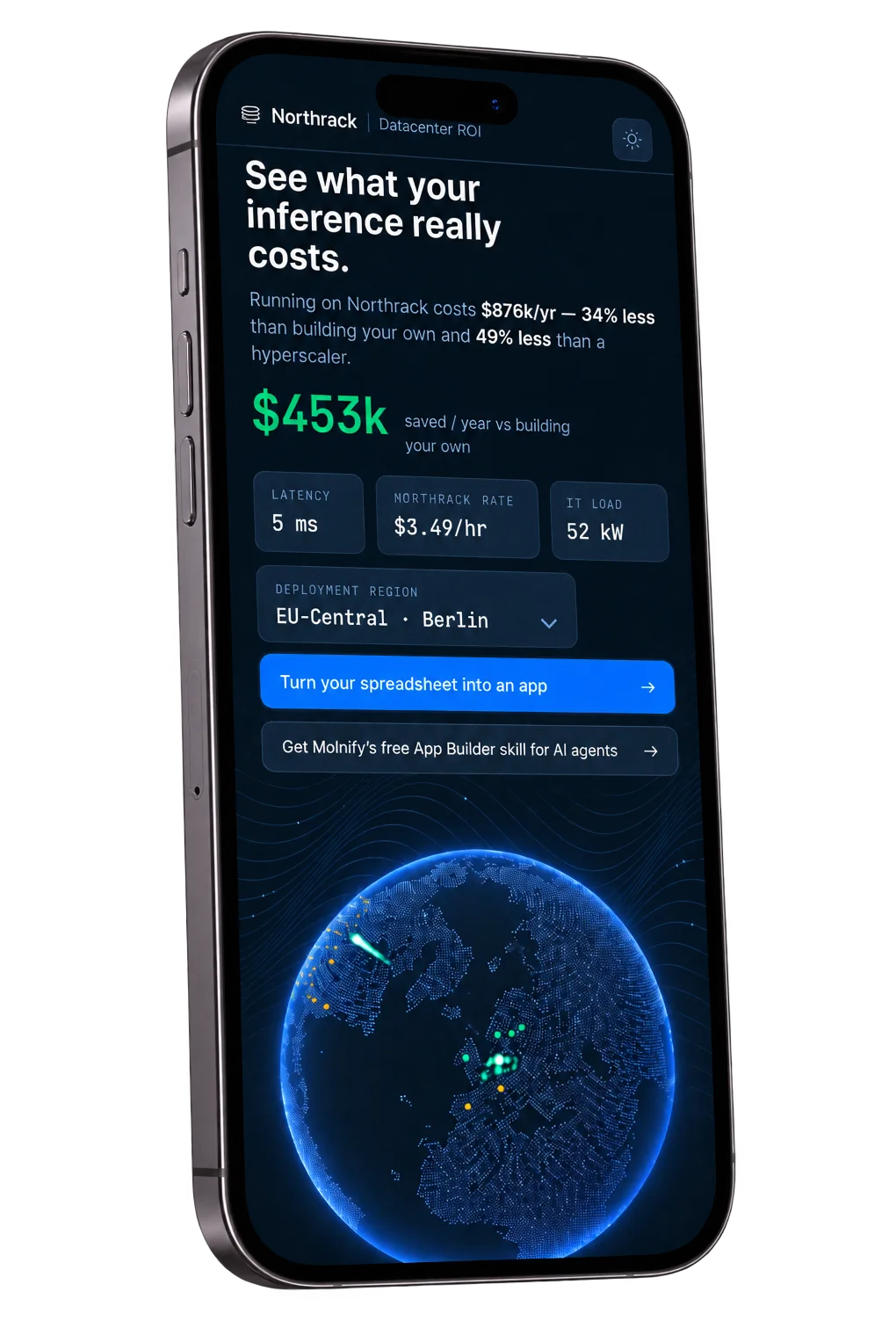
What it costs
Two costs, and only one of them keeps running.
Building costs Molnify Credits: everyone gets 200 free credits to start with, and a small app, like an ROI app, usually takes between 100 and 200 credits depending on complexity. After that, from 2.20 EUR per 100 credits.
Running costs from 99 EUR per app per month, with unlimited users. Two hundred people on your app costs the same as two: you know what an app costs, all the time, and the price does not grow with your team. Your calculations cost no credits, ever, because the finished app is not an AI answering questions. It is your model, calculating.
Your first 14 days are free. Build as many apps as you want; when the trial ends, you pay only for the ones you keep online.
You are never locked in behind the credit meter. Download the xlsx, fix the formula in Excel, and upload it again. That costs zero credits.
Not every app belongs here. If yours is not built around logic someone must be able to trust (a content site, a game, a storefront), an AI code builder is the better tool. Molnify is for the apps where someone will ask why the number is what it is.
“We turned our Excel file used for quotes into a web app using Molnify! We feel like we’ve gone from a clunky Excel file to a state-of-the-art sales tool that’s accessible to our sellers on any device. The fact that sellers can also save quotes privately in the app is also a big advantage.”
Common questions
What does it cost?
Do I need to know Excel?
Can the AI touch my formulas?
Does it support VBA and macros?
Turn all the VBA and macros in this file into Molnify functions, actions, JavaScript and autofills. It reads what the macros do and rebuilds that behaviour from Molnify’s own building blocks, and the converted logic ends up in a file you can open and check.