
Customer success story
How Eccoci gives every consultant a personal net-retention projection, from one Excel model
Every consultant gets a clear projection they can rely on. Eccoci keeps full control of every formula behind it.
By Mattias Hjortzberg, CEO of Molnify · Last updated July 2026
Eccoci makes Sweden work for international consultants. As an Employer of Record and consultancy services company based in Skåne, the team handles employment, payroll, tax, pensions, permits and relocation, so more than 200 consultants can focus on their assignments. Behind every placement sits a demanding question: what does a rate actually become, after Swedish taxes, fees and benefits? The Excel model that answers it was built by Eccoci’s Executive Officer Christian Schanner himself. With Molnify, that model became Eccoci’s own branded web app, without Christian giving up control of a single formula.
The challenge
Advanced payroll maths, locked inside one person’s Excel file
For every consultant Eccoci places, the team projects the full journey from invoiced rate to money in the bank: gross salary, social insurance, income tax that varies by Swedish municipality, pension, fees and travel costs. Add the special cases (work permits, A1 certificates, expert tax relief, SEK or EUR, two different contract forms) and you have a genuinely advanced calculation.
The Excel model that handles all of it was built by Christian Schanner, Eccoci’s Executive Officer. Combining a legal background with an entrepreneur’s feel for the numbers, he had captured both the regulations and the business in one file. The model worked. But it had a familiar problem:
- Every projection ran through one master file. When an assumption changed, colleagues had to ask its owner and wait — or quietly spin up their own copy.
- Excel sharing is all or nothing. Sending the file means sending everything in it: internal settings and every consultant’s numbers, not just the answer one person needs.
- Copies drift, and the master gets overwritten. People made their own variants of the master, and sooner or later someone saved their changes straight back into it. A rate moves, a version forks, and nobody can tell which file is current.
The solution
From Excel model to web app — everyone sees exactly what they should
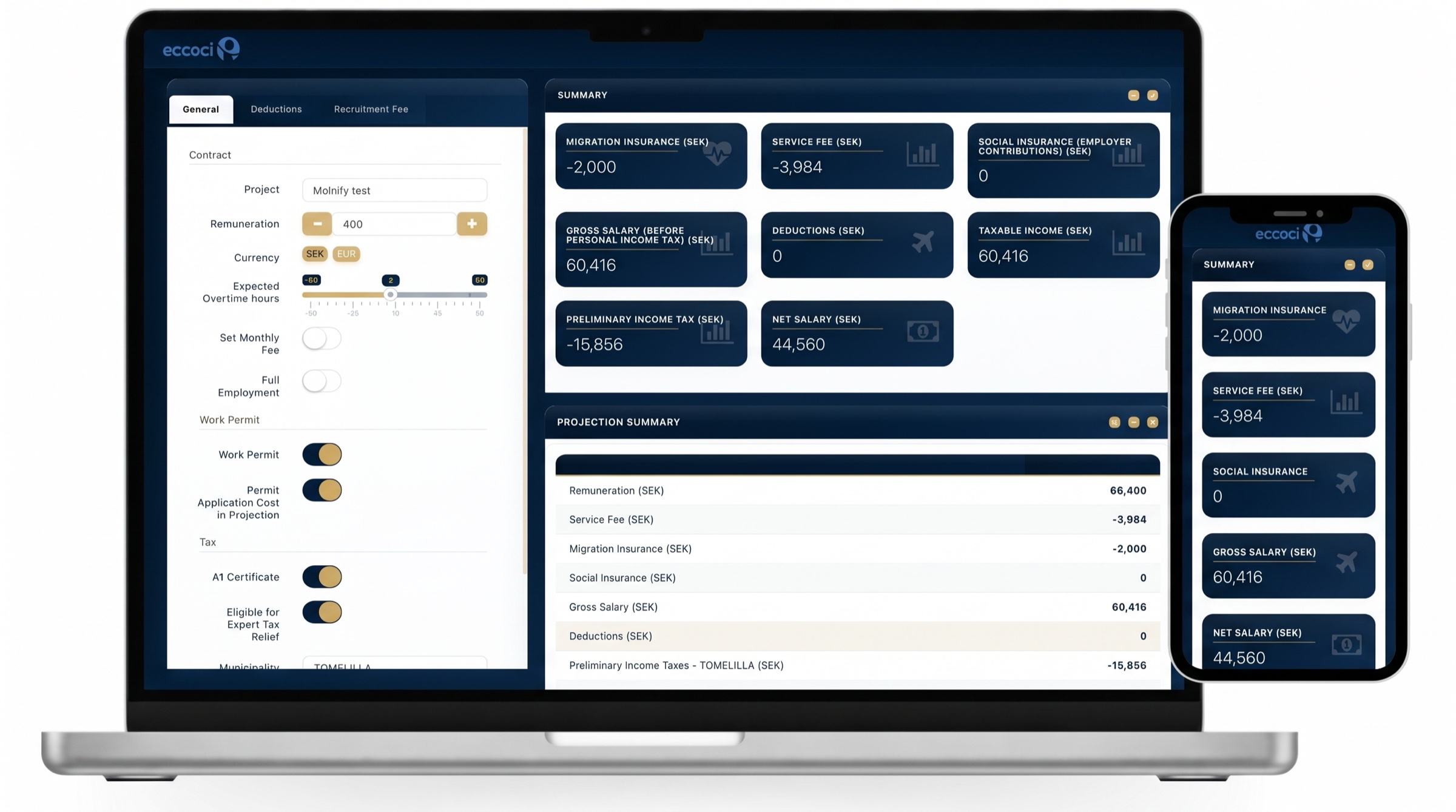
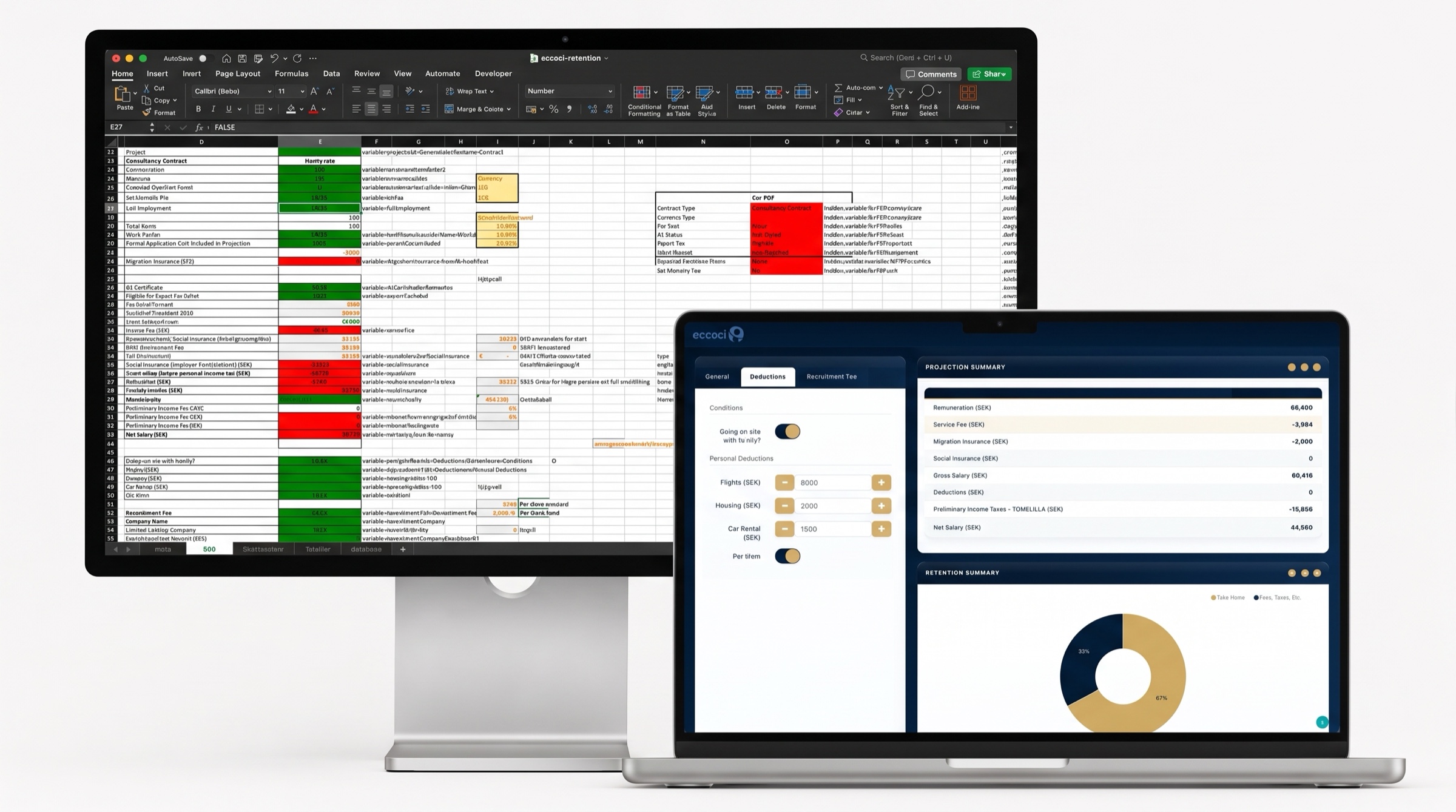
Molnify compiled Christian’s Excel model into Projection Summary of Retention: a web app in Eccoci’s own navy and gold, behind a secure login. The Excel file was not rewritten. It stays the app’s engine and its single source of truth, so the maths in the app is, literally, the maths Christian wrote.
The team enters a project, a rate and the conditions, and the app instantly produces the full retention picture, handling municipality tax rates, currencies, overtime, contract types and expert tax rules. Every projection can be saved as a scenario in the app’s database and pulled up again by quarter.
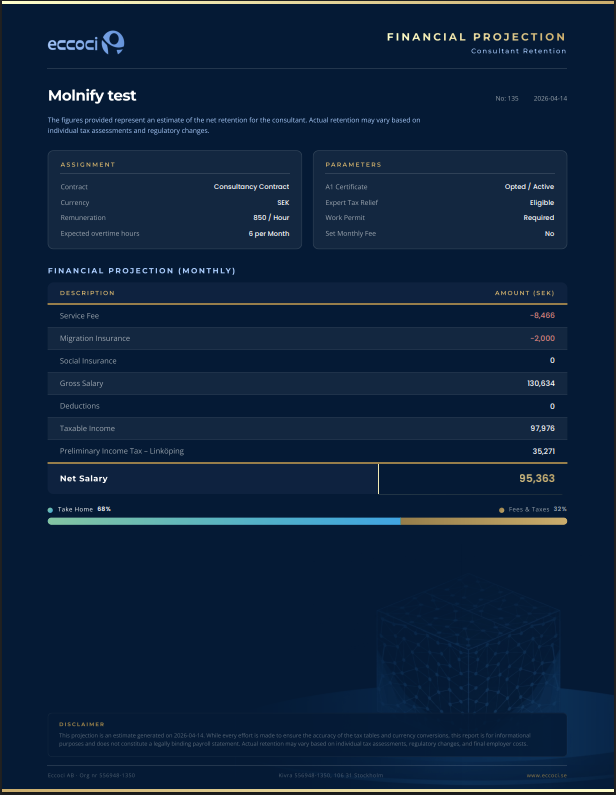
One click turns a projection into a branded PDF to share with the consultant, following Eccoci’s own template and colours:

And crucially: access is layered. Eccoci’s managers see the full picture, including settings like exchange rates that only they can change. Each consultant sees their own projection, and nothing else. In practice it’s used both ways: often the team runs a projection and shares the PDF, and consultants also open the link themselves to explore their own numbers and try scenarios.
Because every saved projection lands in a database, the app quietly grew into a suite:
Projection app
Projection Summary of Retention
Personal net-retention projections for every consultant: from invoiced rate through Swedish taxes, fees and benefits to net retention, with saved scenarios and branded PDF reports.
Executive dashboard
Live business insight
A live dashboard reads the same database: volumes, rate levels, currency mix and municipalities, with filters and rate simulations for management. No extra data entry, it simply watches the work happen.
Why it works
Full control, with the logic auditable in Excel
Most ways of turning a spreadsheet into software take the logic away from the person who wrote it: a developer rewrites the maths in code, and from that day the business needs a programmer (or lately, an AI writing code nobody reads) to change anything. Eccoci’s app works the other way. The logic stays in the Excel file, and the file stays Christian’s. The person who built the model can still open it and read exactly how every number is produced, and so can anyone on the team who knows Excel.
When a tax table, fee or rule changes, Christian updates the model and re-uploads it, and every user is on the latest version at once. No copies, no drift, no black box. And when something does need attention, support looks like a screen-share where the problem gets fixed live, not a ticket queue.
| The Excel model on its own | The same model as a Molnify app | |
|---|---|---|
| Sharing | All or nothing: the file carries internal settings and every consultant’s numbers | Per-person login: each consultant sees only their own projection |
| Staying current | Emailed copies go stale; nobody knows which is the latest | One source of truth: re-upload once, everyone is on the latest at once |
| Changing the logic | The file’s owner, by hand | Still the owner, in Excel: the logic never leaves the spreadsheet, no developer needed |
| Access control | None | Row-level security plus manager roles for sensitive settings |
| Consultant report | Manual, one at a time | One click: a branded PDF in Eccoci’s own template |

“For me, it’s just been such a marvellous tool — I learnt about the tool on a Thursday, and after setting it up Friday, and tinkering with it during the weekend, I was heralded as the great saviour on Monday morning during the team meeting. It has given us the best of working with Excel, while removing all of the issues.
Very happy — would very much recommend — it has taken us to a new level of professionality.”
Christian Schanner, Executive Officer, Eccoci