

Build with AI. Audit in Excel.
Open now: app.molnify.com/app-builder · Free & open skill: GitHub
Molnify has spent ten years turning spreadsheets into applications. Now AI can build those applications too. As of today, 8 September 2026, the Molnify App Builder is open to everyone: describe the app you want in a chat, or upload the Excel model you already have, and the AI builds it into a working web app on the platform that has run Molnify apps since 2016.
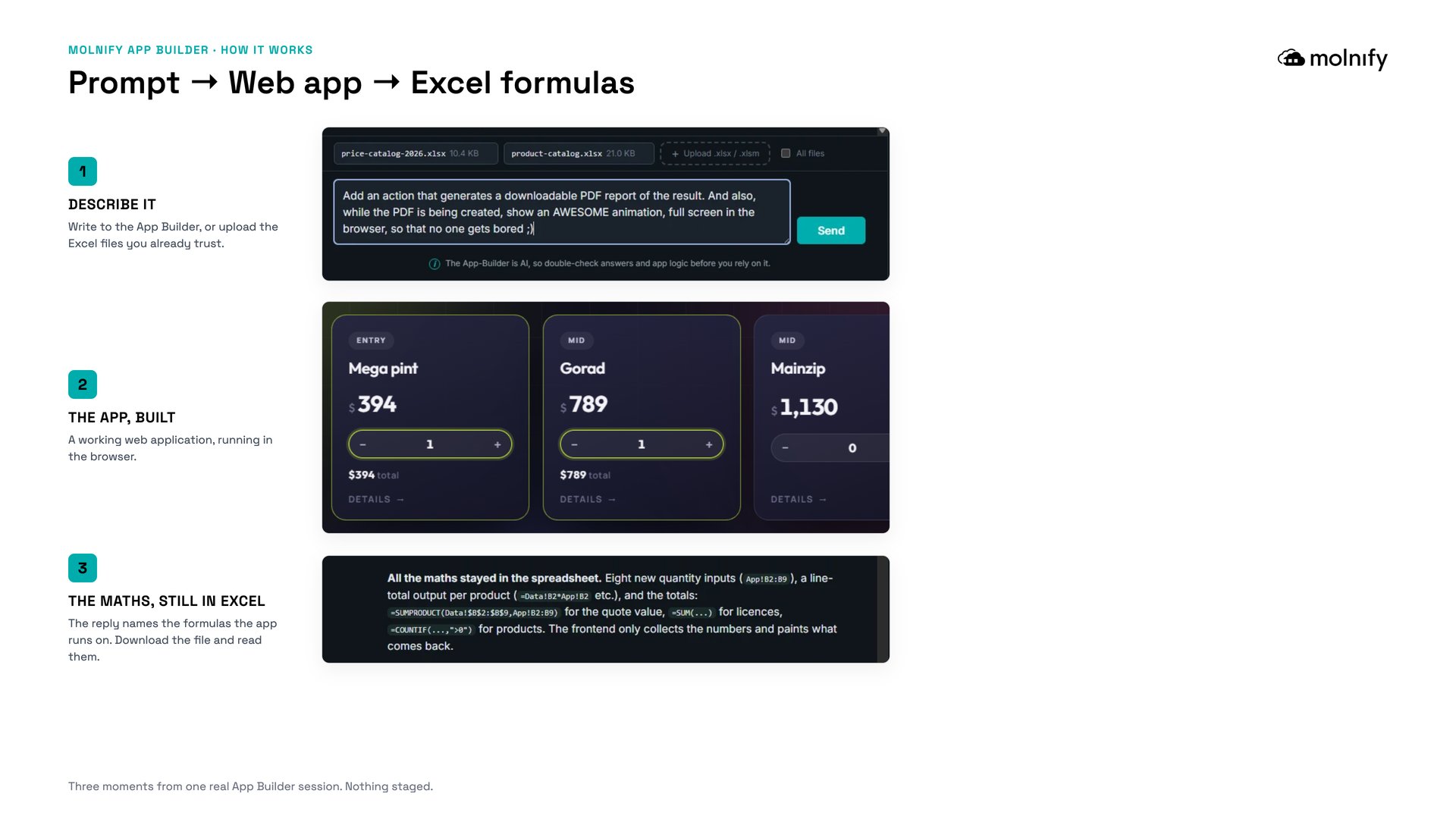
The screenshots in this post are one real session with it: the chat on the left, the finished quoting app on the right, and the AI’s own reply naming the formulas it just wrote, a SUMPRODUCT for the quote total, a COUNTIF for the product count. “All the maths stayed in the spreadsheet,” it reports, and that sentence is the entire idea behind the product.
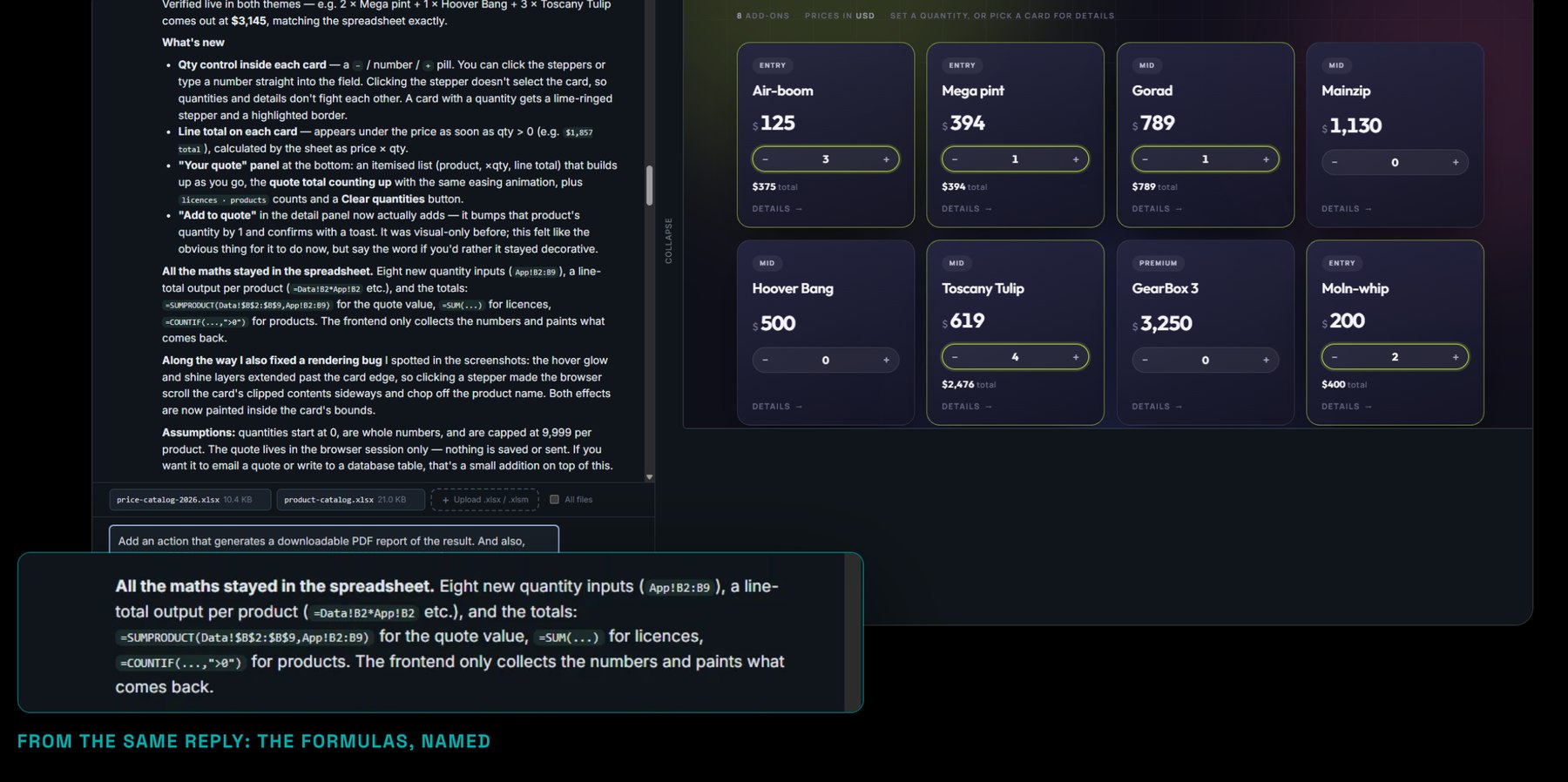
Molnify App Builder is an AI that builds working web apps. You describe the app you want, or upload an Excel model you already use, and it builds the interface, the database and the logic. The calculations stay as spreadsheet formulas, so you can open the file and read them. It has a page of its own, with live example apps you can open: molnify.com/app-builder.
What launched on 8 September 2026
The hosted App Builder at app.molnify.com/app-builder is now open to everyone. It is a chat box in the browser: create a free account, write your first prompt, and it runs right away on free starting credits, no credit card needed. It was in private beta until the September 2026 launch; now it is simply part of Molnify.
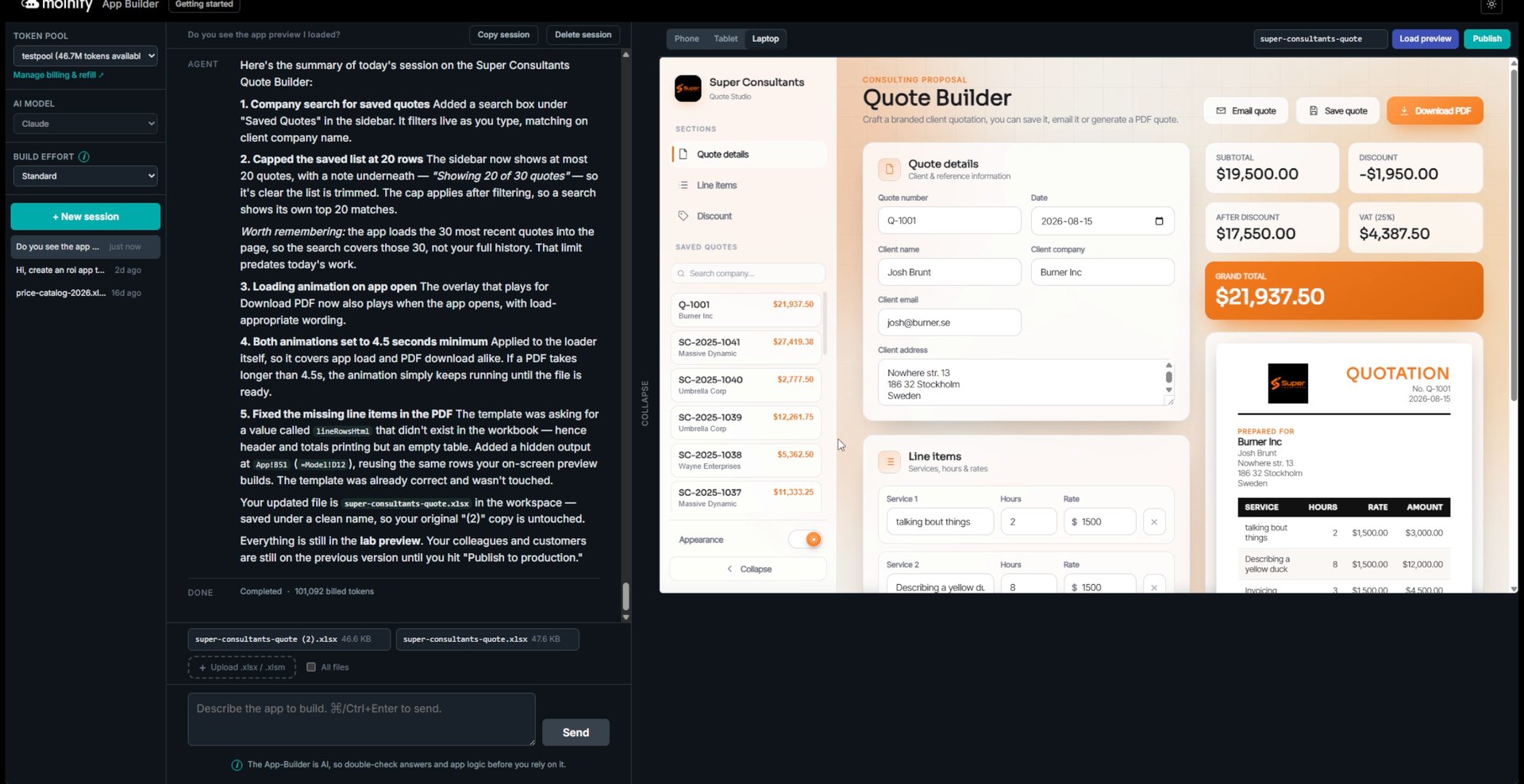
What comes back is two things at once: a live, secure web app your whole team can use, and the Excel file that holds its logic, yours to download, open and read. The apps are not toys. They can save records to database tables, pull live data from APIs, generate branded PDFs and send email. The full story, including live example apps you can open right now, is on the App Builder page.
Why keep the logic in Excel?
With almost every other AI builder, the moment the AI finishes, you cannot read what it built. The logic disappears into generated code, and unless you are a developer you are asked to trust it. Molnify’s AI writes the spreadsheet behind the app instead, so the rules your business runs on stay formulas that anyone who knows a little Excel can follow, step by step. When a number looks off, you do not file a ticket or re-prompt and hope: you open the file and look. We wrote about why AI-generated business logic is so hard to audit; this launch is our answer to it.
It started in a terminal
The App Builder did not appear from nowhere. In June we released it as a free, open skill for AI agents like Claude Code, and told the story in Build a web app from Excel with AI, without the black box. The skill is Apache-2.0 licensed, lives on GitHub, and runs on your own AI subscription. One line adds it to your agent:
The App Builder you meet in the browser is the same builder, without the terminal. Both routes stay: if you live in an AI agent, the skill is still free and open; if you have never opened a terminal in your life, the chat box is for you. Both build on the same platform, and both hand you back the same thing: the app, and the file behind it.
You pick the AI, and you can see which one
Four model families build apps in the App Builder: Claude, Gemini, GLM and Kimi. Claude is the default and the most proven for Molnify apps. Gemini, GLM and Kimi run inside the EU: Gemini as Google’s own European service, GLM and Kimi as open weight models on European hardware. You choose the model in the same window where you write your prompt, and you can switch between builds. Whichever you pick, the logic it writes ends up in the same place: an Excel file you can open.
What it costs
Two costs, and only one of them keeps running. Building costs Molnify Credits: everyone gets 200 free credits to start with, and a small app, like an ROI app, usually takes between 100 and 200 credits depending on complexity. More capable apps take more, and bundles start at 2.20 EUR per 100 credits. Running costs from 99 EUR per app per month with unlimited users, so two hundred people on your app cost the same as two; a few advanced capabilities are add-ons with their own monthly price. Your calculations never draw credits, because the finished app is not an AI answering questions. It is your model, calculating. An app that itself calls an AI while running, through an AI action, draws credits when it does; the formulas never do. The full price list is on the pricing page, and your first 14 days are free, including the apps you build in them.
Changing an app later works both ways. Ask the App Builder and it edits the model for you, which costs credits like any build turn. Or download the file, change it in Excel and upload it again, which involves no AI and costs no credits. Either way the app is rebuilt from a file you can open and read.
Ten years is the other half of the launch
An AI builder is only as good as the platform underneath it. Molnify has been turning spreadsheets into software since 2016, running production tools for organisations like Telia, Vattenfall and If, for Lund University Hospital, and for INCA Portfolio Managers, whose municipal-finance platform has run on Molnify across South Africa since 2021. The App Builder is new. What it builds on is not.
The people who used it through the beta put it better than we can. Federico Duregon of FVSyncro in Italy, a marketer rather than a developer, extended his own Excel-based simulator with it, without external developers:
“It really feels like having a developer available 24/7 who instantly understands what you intend to do. I think App Builder is a real game changer.”
His full quote, alongside one from Eccoci in Sweden, is on the App Builder page.
How to get started
Three doors, pick one. Open the App Builder and describe your first app; your first 14 days and your first credits are free. Or add the open skill to the AI agent you already use. Or start with the App Builder page and see what it has built before you type a word.
Frequently asked questions
Is the Molnify App Builder available?
What does it cost to try?
Do I need a terminal or Claude Code?
I already use the App Builder skill. What changes for me?
Which AI models can I build with, and where do they run?
The one-line version
The file is the app. Since September 2026, an AI writes that file for anyone who asks: describe the app you want, or upload the model you already have, and read every formula it wrote.

By Mattias Hjortzberg, CEO of Molnify, and Maya, Molnify’s AI teammate · Published 8 September 2026